

When you cannot be with your dog all day, a reliable wireless dog camera helps you check in, hear what is happening, and respond quickly if your pet needs attention. The right camera reduces anxiety, alerts you to unusual behavior, and makes it easier to reinforce training or settle separation-related issues. This guide shortlists the top wireless dog cameras that balance clear video, dependable connectivity, and useful two-way communication. Below you'll find our top picks and evaluation criteria so you can choose a camera that fits your home layout and how you interact with your dog.
Top Picks at a Glance
| Best Overall Wireless Camera A reliable all-around camera that suits most pet owners' needs | Ring Indoor Cam 2K |  |
| Best Budget Wireless Camera A low-cost pick that covers core monitoring features affordably | Tapo EC70 Pan/Tilt Camera |  |
| Best Premium Wireless Camera A higher-end model with advanced features and top-tier performance | eufy Security Indoor Camera E30 |  |
| Best Compact Wireless Camera A small, unobtrusive camera ideal for tight spaces and travel | Blink Mini 2K+ Camera |  |
| Best High-Resolution Wireless Camera A camera prioritizing sharp video and clear daytime/low-light detail | Anona Pano 4K Indoor Camera 2-Pack |  |
| Best Long-Range Wireless Camera A model with extended Wi-Fi/range and broad room coverage | REOLINK E1 4MP Indoor Camera |  |
| Best Two-Way Audio Wireless Camera A camera with clear speaker and microphone for remote interaction | Furbo Mini Pet Camera |  |
Ring Indoor Cam 2K
Best Overall Wireless Camera
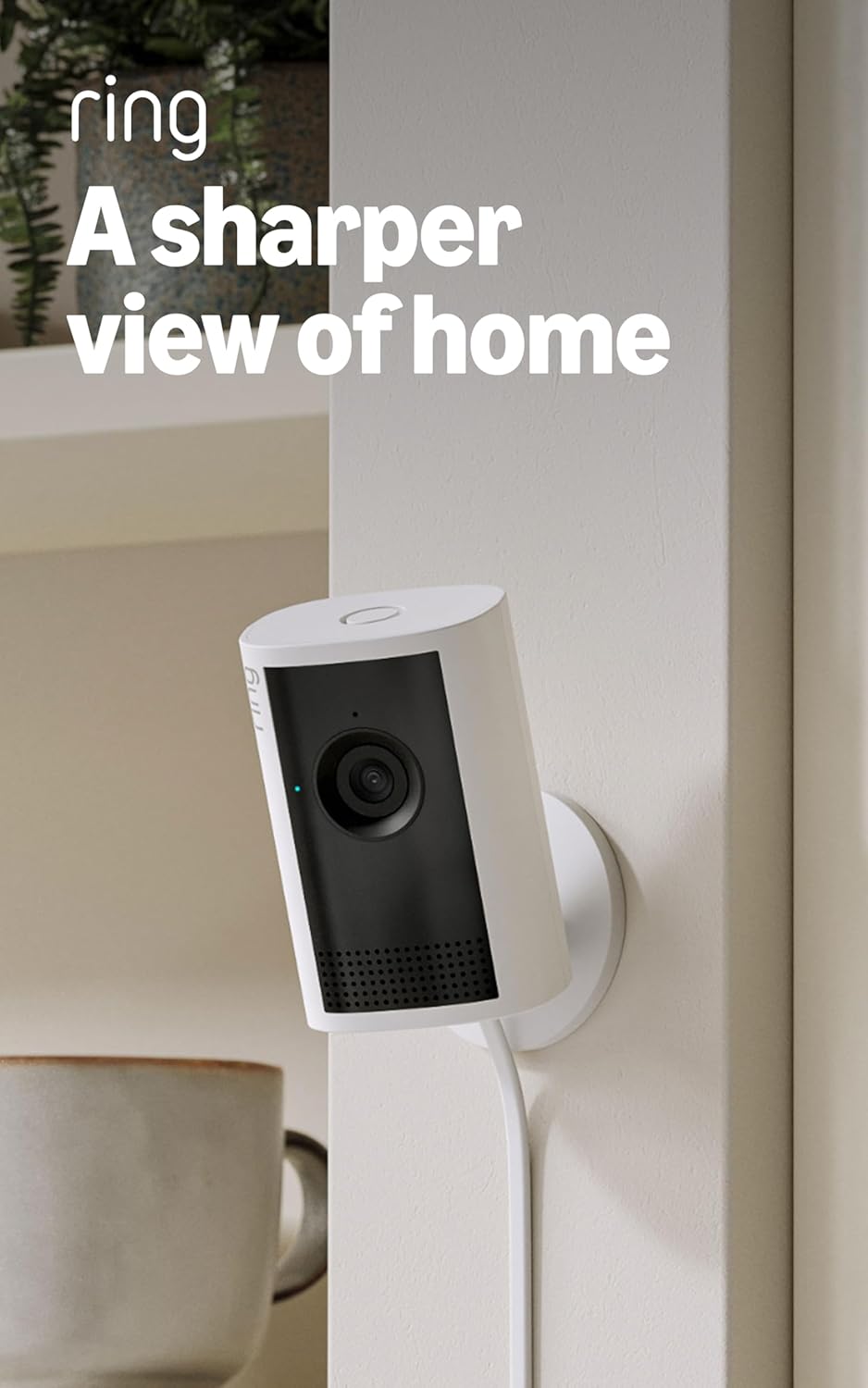
| Video resolution | Retinal 2K |
|---|---|
| Zoom | Up to 6x Enhanced Zoom |
| Night mode | Low-Light Sight (color with ambient light, B/W in darkness) |
The Ring Indoor Cam 2K is a compact indoor security camera designed for continuous home monitoring and pet watching. It captures high-resolution Retinal 2K video with up to 6x enhanced zoom so you can check fine details across a room, and Low-Light Sight preserves true color with some ambient light while switching to crisp black-and-white in full darkness. The camera delivers real-time motion alerts, live view, and two-way talk so you can remotely check on and interact with a dog during the day or soothe them when they get anxious. The sliding lens cover is a practical privacy control, and settings in the app let you mute or adjust the microphone and motion sensitivity. Expect video quality to depend on your internet bandwidth and device temperature, and remember continuous cloud recording requires a compatible subscription for extended history. Installation is straightforward for indoor spots but this model is not weatherproof for outdoor use.
Best for: Buyers who want a reliable, easy-to-use indoor camera that delivers clear high-resolution video and simple two-way interaction for everyday pet monitoring.
Less Ideal for: Users who need weatherproof outdoor cameras or those who want local-only continuous recording without a cloud plan.
- High-resolution Retinal 2K video with up to 6x enhanced zoom for clear monitoring.
- Low-Light Sight that preserves color in dim conditions and switches to detailed black-and-white in darkness.
- Real-time motion alerts plus Live View and two-way talk for immediate interaction with pets.
- Slide-to-cover lens for quick physical privacy control.
- Compact indoor-focused design that is easy to install and position.
- Requires a cloud subscription for extended video history and advanced features.
- Not rated or sealed for outdoor or wet environments.
Verdict: The best all-around wireless camera that balances video quality, connectivity, ease of use, and pet-focused features for everyday monitoring.
Tapo EC70 Pan/Tilt Camera
Best Budget Wireless Camera

| Video Capture Resolution | 1080p |
|---|---|
| Frame Rate | 15fps |
| Viewing Angle | 120 degrees |
| Night Vision Range | 30 feet |
| Connectivity Technology | Wi-Fi |
The Tapo EC70 is a wired indoor pan/tilt camera aimed at everyday home monitoring. It streams 1080p HD video at up to 15 fps with a 120 degree field of view and offers pan/tilt control so you can scan a whole room from the app. Typical use is as a pet camera or baby monitor: it sends real-time motion and sound alerts, can track movement automatically, and supports two-way audio to call your dog or talk to a sitter. Night vision extends visibility up to about 30 feet and the camera records locally to a MicroSD card (up to 256 GB) so you can avoid subscription fees, with optional cloud plans if you want them. Setup runs over 2.4 GHz Wi-Fi and the camera integrates with Alexa and Google Assistant for voice viewing. Limitations to note are a modest 15 fps frame rate and corded power only, so there is no battery backup and very fast action may appear less smooth than higher-frame cameras. Still, for basic, reliable live view and motion alerts without ongoing costs, this model covers the essentials well.
Best for: Pet owners who want dependable live streaming, motion alerts, and the ability to talk to pets remotely without monthly storage fees.
Less Ideal for: Users who need battery-powered, fully wireless cameras or very high-frame-rate video for fast-action monitoring should look elsewhere.
- Full 1080p HD live view with pan and tilt for room-wide coverage
- Two-way audio to interact with pets or caregivers remotely
- Motion detection with tracking and real-time alerts
- Local MicroSD recording up to 256 GB so you can avoid subscription fees
- Works with Alexa and Google Assistant for voice-activated live view
- 15 fps frame rate may render very fast movements less smoothly
- Requires wired power so placement must be near an outlet
Verdict: The best budget wireless camera for owners who need dependable live view and basic alerts without spending much.
eufy Security Indoor Camera E30
Best Premium Wireless Camera

| Video Capture Resolution | 4k |
|---|---|
| Connectivity Protocol | Wi-Fi (2.4 GHz) |
| Power Source | Corded Electric |
| Controller Type | Amazon Alexa, Apple HomeKit, Google Assistant |
The eufy Security Indoor Camera E30 is a premium indoor pan-and-tilt camera built around 4K video, on-device AI detection, and continuous local recording without mandatory subscriptions. In everyday use it serves as a versatile home and pet camera that can scan a full room with 360 degree pan/tilt, follow people or pets with auto-tracking, and let you talk through two-way audio. Notable features include 4K UHD capture for clear detail, color night vision enabled by a built-in spotlight, compatibility with HomeKit, Alexa and Google Assistant, and the ability to store footage locally to avoid monthly fees. For pet owners the AI pet/human detection and auto-tracking make monitoring activity and checking on pets straightforward, and the spotlight can improve nighttime visibility or act as a deterrent. Trade-offs to consider are that HomeKit streams are limited to 1080p, the camera only supports 2.4 GHz Wi-Fi, and it is a corded indoor device rather than a battery option, which limits placement flexibility. Setup and app controls are mature, and the combination of high-resolution video and local storage will appeal to buyers prioritizing image quality and advanced smart features.
Best for: Buyers who want a high-end indoor pet or home camera that prioritizes image quality and advanced AI features and are comfortable running a corded device and using local storage instead of cloud-only setups.
Less Ideal for: People who need a battery-powered or fully wireless camera for flexible placement or those who require full 4K streaming through HomeKit.
- 4K UHD capture for high-detail video
- 360° pan and tilt with AI auto-tracking for full-room coverage
- Color night vision with built-in spotlight for clearer low-light footage
- Two-way audio and smart assistant compatibility for live interaction
- Local storage support and no mandatory monthly fees
- Limited to 2.4 GHz Wi-Fi which can restrict network placement
- HomeKit integration is capped at 1080p resolution
- Corded power only, so placement requires an outlet
Verdict: The best premium wireless camera for owners willing to pay more for superior video quality, advanced smart features, and robust build quality.
Blink Mini 2K+ Camera
Best Compact Wireless Camera

| Video resolution | 2K |
|---|---|
| Zoom | Up to 4x |
| Included accessories | Mounting kit, stand, USB cable, power adapter |
| Smart home | Works with Alexa |
The Blink Mini 2K+ is a small plug-in home camera designed for discreet indoor monitoring where space is limited. It records sharper 2K video with up to 4x zoom, and its improved audio with noise cancellation makes two-way talk noticeably clearer for checking on pets or speaking to family members. Setup is simple using the included stand, USB cable, and power adapter, and the camera can be wall- or shelf-mounted for flexible placement. Smart features include motion detection and optional person and vehicle detection with a subscription, plus a 30-day cloud trial for clip storage. It can also act as a chime for a Blink video doorbell and integrates with Alexa for voice control. Limitations include reliance on a plug-in power source and cloud subscription for advanced detection and long-term storage, and the unit is intended primarily for indoor use unless paired with an optional weather-resistant power adapter for outdoor placement.
Best for: Households that want unobtrusive, space-saving indoor monitoring to keep an eye on pets and rooms while preserving decent video and audio quality.
Less Ideal for: Users needing battery-powered placement, long-term local storage, or fully weatherproof outdoor cameras should consider other options.
- 2K video resolution with up to 4x zoom for clearer, more detailed footage
- Improved two-way audio with noise cancellation for clearer conversations
- Compact plug-in design that fits on shelves or small mounting locations
- Works with Alexa and can act as a chime for a Blink Video Doorbell
- Advanced person and vehicle detection require a paid subscription
- Requires continuous power from a plug-in adapter and is not fully weatherproof without extra accessories
Verdict: The best compact wireless camera for pet owners who need a discreet, portable monitor that fits limited spaces or moves between rooms.
Anona Pano 4K Indoor Camera 2-Pack
Best High-Resolution Wireless Camera

| Resolution | 4K (8MP) |
|---|---|
| Frame Rate | 15 frames per second |
| Pan/Tilt | 355° pan, 110° tilt |
| Zoom | 8x (digital/optical listed as 8x) |
| Storage | microSD up to 512 GB or optional cloud |
The Anona Pano 4K indoor camera pair is built for owners who need high-resolution, two-way monitoring of pets and home activity. Each dome captures 4K UHD video with an 8x zoom and autofocus, and the 355° pan plus 110° tilt covers nearly every angle from a single placement. The app-forward setup uses dual-band Wi‑Fi 6 for smoother live streaming and supports local microSD or optional cloud storage. AI detection flags people, pets, and baby crying and can trigger the camera to auto-track motion so you get zoomed-in closeups without manual control. Two-way audio is handy for calling a pet or checking on a room, and infrared night vision extends monitoring after dark. Practical downsides are a 15 fps frame rate that can make fast motion slightly less fluid and the reliance on wired power, which limits placement compared with battery models. The cameras include mounting hardware and a long power cable, making installation straightforward for table or ceiling use.
Best for: Buyers who want the sharpest daytime footage and the ability to zoom in on pet behavior to see fine details and interactions, and who are comfortable using an app-centric Wi‑Fi camera system.
Less Ideal for: People who need fully wireless, battery-powered cameras for flexible placement or those who prioritize high-frame-rate video for fast-action monitoring.
- True 4K UHD video with 8x zoom and autofocus for clear detail at distance
- Wide pan and tilt (355°/110°) plus auto-tracking for near-complete room coverage
- Dual-band Wi‑Fi 6 support for more stable live streaming
- AI detections for person, pet, and baby crying reduce false alerts
- Local microSD or encrypted cloud storage options
- Frame rate is 15 fps which may not render very fast motion smoothly
- Requires corded power so placement depends on outlets
Verdict: The best high-resolution wireless camera for owners focused on crisp, detailed footage for identifying movement and facial expressions.
REOLINK E1 4MP Indoor Camera
Best Long-Range Wireless Camera

| Video Capture Resolution | 4MP |
|---|---|
| Frame Rate | 20 fps |
| Night Vision Range | 40 feet |
| Connectivity Technology | 2.4GHz WiFi |
| Power Source | Corded Electric |
The REOLINK E1 is an indoor pan/tilt Wi‑Fi camera that provides wide coverage for home monitoring, including pets and babies. It pans 355° and tilts 50° to give near 360° coverage and uses auto tracking to follow movement, which makes it practical for watching a large living room or open-plan space without blind spots. Video is captured at 4MP and 20 fps, with infrared color night vision up to about 40 feet for usable detail in low light. The camera supports two‑way audio for remote interaction and instant cry/pet alerts through the app, and it stores footage locally via microSD or a Reolink NVR or Home Hub so you can avoid subscription fees. Setup uses 2.4 GHz Wi‑Fi and a 5V corded power supply, so placement depends on Wi‑Fi reach and an outlet. The main limitations are indoor use only and reliance on 2.4 GHz networks, so performance depends on home wireless range and interference, but for extended in‑room coverage and robust local storage options it is a solid choice for pet owners and families.
Best for: People who need wide, single‑camera coverage of large rooms or open indoor spaces and prefer local storage and active monitoring for pets or children.
Less Ideal for: Those who need an outdoor camera or require dual‑band/5 GHz wireless for higher throughput and longer-range home networks should look elsewhere.
- Near 360° coverage with 355° pan and 50° tilt for broad room monitoring
- 4MP resolution with color night vision and up to 40 ft low‑light range
- Auto tracking plus motion, pet and cry alerts for focused notifications
- Local storage options including microSD and Reolink NVR/Home Hub to avoid cloud fees
- Two‑way audio for remote interaction with pets or family members
- Works on 2.4 GHz Wi‑Fi only which can limit range or throughput in congested networks
- Indoor‑only design prevents outdoor placement
- Requires a nearby power outlet since it is corded electric
Verdict: The best long-range wireless camera for homes where extended wireless reach or coverage across large rooms is essential for reliable monitoring.
Furbo Mini Pet Camera
Best Two-Way Audio Wireless Camera

| Video Capture Resolution | 1080p |
|---|---|
| Viewing Angle | 130° |
| Connectivity Protocol | Wi-Fi |
| Power Source | Corded Electric |
| Night Vision | Night Color |
The Furbo Mini is a compact indoor pet camera designed to give owners a simple way to watch and interact with pets using 1080p live video and two-way audio. It mounts on a table or wall and provides a 130 degree fixed wide-angle view with color night vision so you can check a room day or night. The camera uses Wi-Fi and the Furbo app to send AI-powered alerts for barking, meowing, and unusual activity and stores cloud video history, but those features and live view require an active Furbo Nanny subscription. Setup is straightforward with a USB power cable and a 2.4 GHz network, though a USB wall adapter is not included. Because it is a pared-down model it does not toss treats or rotate, so owners who want simple monitoring, sound alerts, and reliable video in a small footprint will appreciate it; those needing treat-dispensing or 360 degree tracking should choose a different Furbo model. The requirement for a paid plan to unlock functionality is the most important limitation to plan for.
Best for: Buyers who want an affordable, no-frills indoor pet monitor that delivers dependable 1080p video, two-way talk, and smart alerts when paired with a subscription.
Less Ideal for: Owners who prioritize built-in treat dispensing, 360 degree coverage, or entirely subscription-free operation should consider other models.
- Full HD 1080p live video with color night vision for clear monitoring day and night
- Two-way audio for remote interaction and calming pets
- AI-powered barking and activity alerts with cloud video history when subscribed
- Compact, mountable design that fits on tables or walls and has a wide 130° field of view
- Requires a paid Furbo Nanny subscription to activate core features including live view and alerts
- No treat-dispensing or rotating functionality compared with other Furbo models
Verdict: The best two-way audio wireless camera for pet owners who want to talk to, soothe, or command their pet remotely with clear two-way sound.
Choosing the Right Wireless Dog Camera: Key Factors to Consider
Video Quality and Field of View
Clear, high-resolution video makes it easier to interpret your dog's behavior from a distance. Higher resolution helps you spot subtle cues like panting, pacing, or minor injuries, and improved low-light performance is essential for nighttime checks.
Field of view matters because dogs move around furniture and rooms. A wider lens reduces blind spots and may let a single camera cover an entire living area. Consider whether pan/tilt capabilities are needed or whether a fixed wide-angle lens will suffice for your space.
Two-way Audio and Microphone Clarity
Two-way audio lets you speak to your dog and hear them, which can calm anxious pets or interrupt unwanted behavior. Microphone quality determines whether you can distinguish barks from other noises and whether your voice sounds natural to the dog.
Also check for echo cancellation and adjustable speaker volume so your message comes through clearly without startling the pet. Latency matters: noticeable audio lag makes real-time interaction difficult and reduces the system's usefulness.
Connectivity and App Experience
A camera is only useful if its connection to your network and app is stable. Look for cameras that support your home Wi-Fi band and provide clear setup instructions. App usability matters for quickly viewing live feeds, replaying clips, and configuring notifications.
Reliable cloud or local storage options are important; unstable apps that frequently drop footage or produce delayed notifications will frustrate owners who need real-time awareness. Consider whether the camera supports both iOS and Android and whether app updates are frequent and well-reviewed.
Notification, Motion Detection, and Smart Alerts
Smart motion detection tailored for pets reduces false alarms from curtains, shadows, or passersby. Pet-aware detection or adjustable sensitivity lets you tune alerts so you only get notified for meaningful events, like barking or sustained pacing.
Look for customizable activity zones and notification schedules to avoid constant pings. The quality of recorded clips and whether the system saves short video clips or longer recordings will affect how useful alerts are when you cannot view live immediately.
Power Options and Placement Flexibility
Placement affects what you can see and how the camera survives daily household activity. Plug-in cameras offer continuous power for always-on monitoring. Battery-powered units provide flexible placement but require recharging and may have duty-cycle limits.
Mounting options, magnetic bases, and included stands determine how easily you can position the camera at the right height for clear sightlines. Consider whether the camera needs to be weather-resistant for semi-outdoor spots or whether it will be used only indoors.
Privacy, Storage, and Data Control
Owners should understand how footage is stored and who can access it. Cloud storage convenience is balanced by subscription costs and privacy trade-offs; local storage keeps footage on a device you control but may limit features like remote playback.
Check for clear privacy policies, strong account security options such as two-factor authentication, and whether the device receives regular firmware updates to patch vulnerabilities. A camera that is easy to update and manage reduces long-term risk.
How Do I Set Up a Wireless Dog Camera for the Best View of My Pet?
Start by identifying the spots where your dog spends the most time and place the camera at chest height for a typical dog or lower for small breeds. Position the camera so furniture or doorways do not block common paths, and choose a location with strong Wi-Fi signal to avoid dropped video.
If the camera has pan and tilt, use those features to scan the room during setup to confirm coverage. For fixed cameras, a slightly elevated, corner-mounted placement often maximizes the field of view. Run a short live test and check the feed from your phone to confirm you can recognize your dog and hear what is happening.
- aim for unobstructed sightlines at the dog's typical activity level
- verify Wi-Fi signal strength at the camera location
- use included mounts to secure the camera out of reach
What Settings Reduce False Motion Alerts From Pets?
Adjust motion sensitivity to a middle level and observe alerts for a day or two before making further changes. Many apps offer activity zones; draw zones that include the areas your dog uses and exclude windows, doors, or ceiling fans that cause irrelevant triggers.
Enable pet-specific detection if available; this mode uses motion pattern analysis to focus on animals and ignore smaller movements. Finally, set quiet hours or notification schedules so you only receive alerts during times you care about monitoring.
- use activity zones to limit detection areas
- lower sensitivity around busy rooms or high-traffic windows
- enable pet detection modes if supported
Can a Camera Help with Separation Anxiety or Training?
A camera with two-way audio is useful for short interventions: you can reassure your dog with a calm voice or redirect attention when you see anxious pacing or destructive behavior. Video lets you observe triggers and timing, which helps plan training sessions or environmental changes.
However, a camera is a monitoring and communication tool, not a substitute for behavior modification or exercise. Use footage to identify patterns and share relevant clips with a trainer if needed, and combine remote interaction with consistent training routines at home.
- use recorded clips to spot triggers and patterns
- keep remote interactions brief and calm to avoid overstimulation
How Should I Balance Cloud Storage Vs Local Storage for Footage?
Cloud storage offers convenience for remote access and keeps footage safe if the camera is tampered with, but it often requires a subscription. Local storage using an SD card or network video recorder gives you direct control without ongoing fees but may limit remote playback or require manual backups.
Consider a hybrid approach if supported: local storage for continuous recording and cloud for important clips or offsite backups. Prioritize how long you need clips kept and whether you need easy sharing or long-term archival for training or incident review.
- choose cloud if you need remote playback and offsite backup
- choose local if you prefer no-subscription ownership and tighter control
- look for hybrid systems that offer both options
What Should I Know About Night Vision and Low-light Monitoring?
Night vision uses infrared to show activity in dark rooms, but some IR systems render monochrome images that reduce detail. Good low-light sensors keep more natural color and detail at dusk or in shaded spots. If your dog moves between bright and dark areas, look for cameras with automatic exposure adjustment.
Test the camera in typical night conditions to ensure you can still identify behavior and hear sounds. If you need color footage in dim light, verify the camera's low-light specs or sample footage before relying on it for critical monitoring.
- test night performance in your actual room conditions
- consider IR vs low-light color performance based on your needs
How to Secure My Camera and Protect Privacy
Change default passwords, enable two-factor authentication when possible, and keep firmware updated to protect access. Place cameras where they monitor common areas rather than private spaces and review account user permissions to control who can view footage.
If your camera supports encrypted storage or end-to-end encryption, prefer those options for sensitive clips. Regularly review the app permissions on your phone and remove any old devices or users who no longer need access.
- use strong, unique passwords and two-factor authentication
- review firmware updates and privacy settings regularly
- limit camera placement to shared living spaces
How We Chose the Best Wireless Dog Camera
We prioritized features that matter for daily dog monitoring and owner interaction. Video quality was a primary filter, with emphasis on resolution, low-light performance, and wide-angle views so you can see activity across a room. Two-way audio and microphone sensitivity were evaluated for clear, lag-free communication so owners can soothe or redirect dogs remotely. Connectivity and app reliability were assessed because dropped streams or complicated setup reduce usefulness. Motion detection and notification quality were considered to ensure meaningful alerts rather than constant false positives. Power and mounting options were reviewed to match where dog owners typically place cameras, including battery life and whether a model supports continuous plug-in operation. We excluded products that lack real-time two-way audio or that do not offer at least 720p video resolution, because those gaps materially reduce usefulness for pet monitoring. We also filtered out cameras with consistently poor user feedback about connectivity or unstable apps. The selected products scored well across the dimensions above and represent practical, everyday choices for owners who want dependable remote monitoring of their dogs.
Our full evaluation process is outlined in our review methodology.
FAQ
Will a wireless dog camera work if my home Wi-Fi is weak?
A weak Wi-Fi signal will cause lag, dropped feeds, and failed uploads. Use a camera closer to your router, upgrade your router, or add a range extender. Some cameras support dual-band Wi-Fi; use the band that gives the most stable connection in the camera location.
Can I use a wireless camera to soothe my dog remotely?
Yes, two-way audio allows you to talk calmly to your dog and may reduce anxiety in some pets. Keep interactions brief and observe whether your dog responds positively. Rely on a consistent training plan for long-term behavior change.
How long do recorded clips typically stay available?
Retention varies by storage method and plan. Local storage keeps clips until the card fills or they are deleted. Cloud plans often store clips for a fixed period, such as days or weeks, depending on the service tier. Choose the storage model that matches how long you need footage available.
Are battery-powered wireless cameras practical for pet monitoring?
Battery cameras are practical for temporary or flexible placement, but their runtime depends on recording frequency and motion sensitivity. For continuous monitoring, plug-in power is usually more reliable. Consider a battery model only if you need portability and can accept charging intervals.
Will my camera wake my dog when I use two-way audio?
Some dogs react to hearing their owner's voice and may become active or excited. Use a calm tone and short phrases to minimize disruption. Observe your dog's reactions over several sessions and adjust volume and timing as needed.
Final Verdict
Prioritize clear video, reliable two-way audio, and stable connectivity when choosing a wireless dog camera. Consider where you will mount the camera, whether you need continuous power, and how storage and notifications fit your monitoring habits. Tradeoffs are common: battery models offer placement flexibility but require recharging, while plug-in units provide always-on coverage. Choose a camera that matches the most important use case for your dog, whether that is calming separation anxiety, checking activity while you work, or capturing unusual events. Focus on dependable performance and app reliability to ensure the camera becomes a helpful part of daily pet care.